Choose the starting point
Enroll an audience, start on an incoming text, or use a named event from a connected source.
Start with a goal Focal Campaign
CUSTOMER MESSAGING, WITH PURPOSE
The Flow Builder is Focal’s visual workspace for automated messaging sequences. Connect triggers, waits, conditions, and SMS, MMS, or email messages.
Plan my first flowPrepare first. Review before sending.
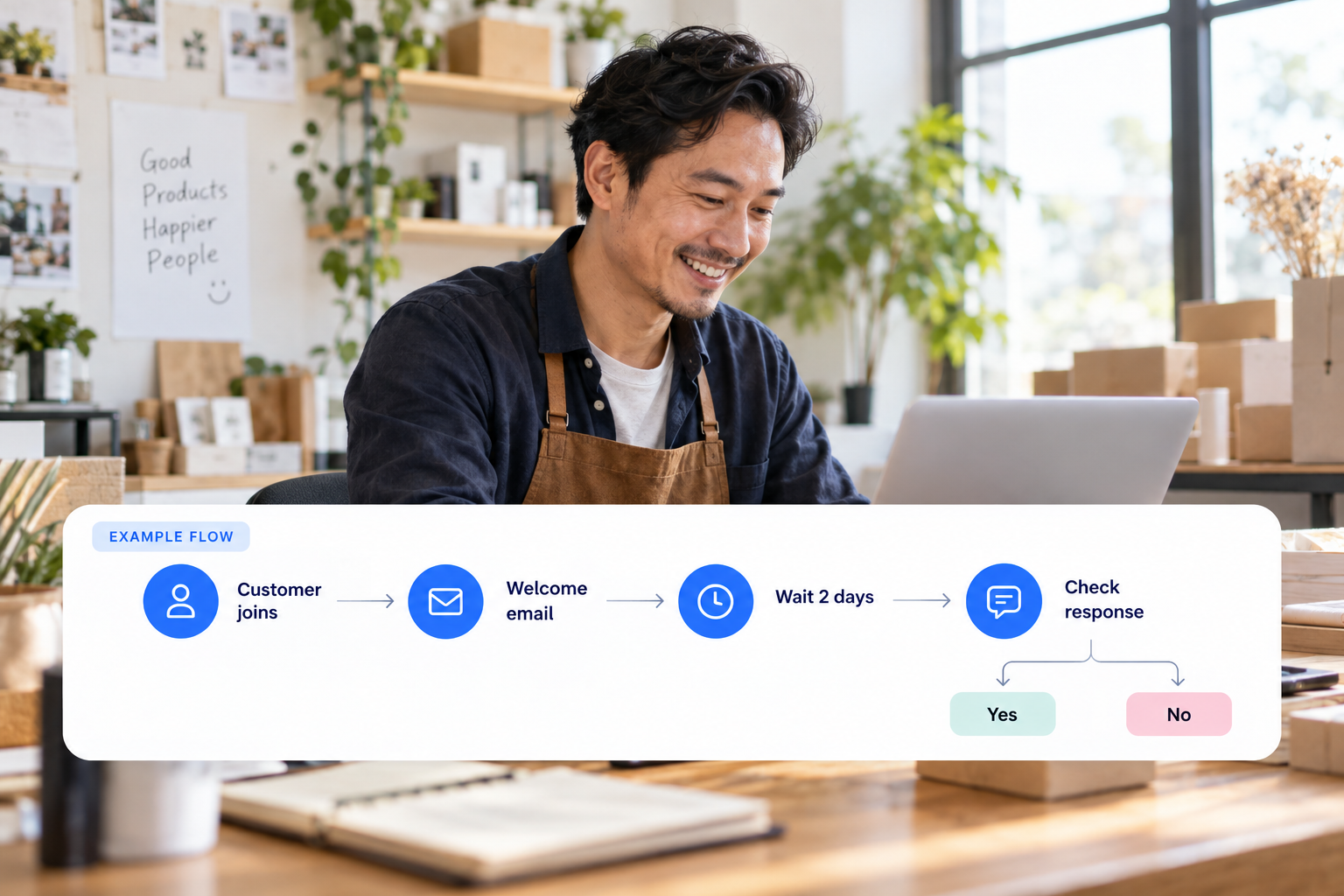
Enroll an audience, start on an incoming text, or use a named event from a connected source.
Start with a goalWait for a duration, or wait for a text reply or tracked click with a timeout path.
Explore a local exampleTest a contact tag, split a path, and connect the next message. Preview the path before publishing.
See campaign resultsILLUSTRATIVE FLOW · Preview the paths before publishing
Start when selected contacts enter this flow.
Welcome them and invite one clear reply.
Wait for a text reply; define what happens if time runs out.
Continue along the reply path. Your team can inspect the conversation.
Take the timeout path. End the journey or prepare a suitable next message.
A named event needs a working connected source. Tag branches and A/B splits support other decisions.
Check messages, branches, source events, and sending readiness. A simulated path explains the logic; it does not prove a provider delivered a live message. Publishing and activating are separate steps; live automation must also be enabled for your account.
The visual builder connects entry triggers, waits, conditions and SMS, MMS or email messages. It helps you define what happens next in a messaging sequence.
Only when the required event source is connected and supplies that information. Drawing an event in a flow does not create an integration with another system.
Explore product capabilities, automated flows and current pricing. For account-specific requirements, contact Focal Campaign.
Choose your goal. Prepare the work. Review the next step.
Prepare my first campaign